Business Basics
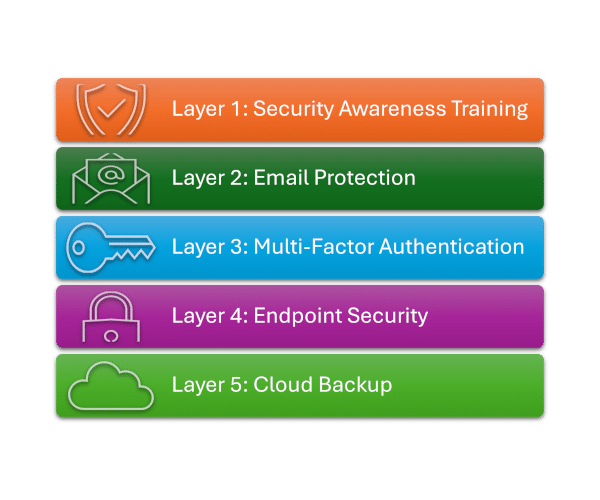
Layer 2: Email Protection
Email Protection: Spam Filtering
Overview
Spam filtering is often underestimated, but it’s actually one of your most important frontline controls.
Think of it like this… spam filtering is your email gatekeeper. It can decide what actually gets in front of your users, removing many of the risks and temptations before they can do any damage.
Why is it so important that you enable spam filtering. Because email is the #1 delivery method for cyber attacks, from phishing, malware delivery and ransomware, to invoice fraud and credential harvesting.
It’s simple, if malicious emails never reach your users, they can’t click, download, or be tricked.
What Does Spam Filtering Prevent
Phishing Attacks
- Fake Microsoft/Google login pages
- Credential harvesting
These are responsible for the majority of breaches
Ransomware Delivery
- Malicious attachments
- Links to payload downloads
Invoice & Payment Fraud
- Fake banking details
- “Urgent payment” emails
Malware Infections
- Trojans
- Keyloggers
- Remote access tools
Spam & Scam Campaigns
- Reduces “noise” that confuses users
- Reduces their exposure to risks
Real-World Scenario
Witout spam filtering:
- Staff receives a phishing email
- Clicks a link → enters credentials
- Attacker logs into their email
- Sends a fake invoice to your customer
Result? You suffer a direct financial loss, damage to your reputation, and possible legal exposure.
What Does Spam Filtering Achieve
Filters Out Malicious Emails Before They Reach Users
- Scans attachments
- Analyses links (safe links / URL rewriting)
- Detects impersonation attempts
- Blocks known malicious domains/IPs
Most threats are stopped before a human even lays eyes on them
Reduces Human Risk
Users are your most targeted vulnerability.
Spam filtering:
- Removes obvious scams
- Flags suspicious emails
- Reduces exposure to “decision fatigue”
- Fewer risky emails = fewer mistakes.
Protects Against Business Email Compromise (BEC)
Spam filtering identifies:
- Fake CEO emails
- Supplier impersonation
- Domain spoofing
Stops Malware Delivery at the Source
- Blocks malicious attachments (e.g. PDFs, Office files, ZIPs)
- Sandboxes unknown files before delivery
Improves Productivity
- Less junk mail
- Less time wasted sorting emails and managing inboxes
Real-World Scenario
With good spam filtering:
- Email blocked or flagged
- Link rewritten and analysed
- User warned or email quarantined
The attack often dies before step 1.
If you stop the email getting through, you stop the attack!
It turns "don't click that" into "they never saw it"
Risk Reduction
Spam filtering is a high-volume risk reducer, typically blocking 90-99% of spam and known malicious emails. And while filtering reduces your exposure, maximum effectiveness is only achieved when you use it in combination with the other four layers.
Small businesses are heavily targeted because attackers know how much you rely on email. Payment fraud is easier to execute because you usually have fewer protections in place., and even trained staff make mistakes, So, simply filtering emails can reduce the opportunity for user error.
Take Action
Cyber attacks are no longer a matter of if, but when.
This 5-layer model provides practical, proven protection for small and growing businesses.