Business Basics
Layer 3: Multi-Factor Authentication
Multi-Factor Authentication (MFA)
Overview
Multi‑Factor Authentication (MFA) adds a second layer of proof beyond just a password which, while you know it, may also be known to others. Instead of just your password, you combine it with either something you possess like your mobile phone which provides codes and tokens etc., or something unique to you like facial recognition. So, even if your password is stolen, an attacker has no way of logging in.
Given your email account is the master key to everything else, enabling Multi‑Factor Authentication (MFA) on email is one of the single, highest-impact security controls you can put in place – especially for a small business.
Think about it… password resets for almost every system go through email. Financial transactions and invoices are approved via email. Staff, customer, and supplier communications flow through it. And it’s often linked to cloud systems like Microsoft 365, Google Workspace, CRM, and accounting. So, if an attacker gets your email, they can potentially access your entire business.
Why MFA is so important...
Phishing Attacks
- User clicks fake login page → enters password
- Without MFA: attacker logs in immediately
- With MFA: attacker is blocked
Phishing is still the #1 cause of business email compromise (BEC)
Credential Stuffing
- Attackers use leaked passwords from other sources
- Without MFA: reused passwords = instant compromise
- With MFA: useless without the second factor
Brute Force / Password Guessing
- Automated attempts to guess passwords
- Without MFA: when they have a password they can log straight in
- With MFA: password is useless without the second factor
Account Takeover → Business Impact
Without MFA, attackers can:
- Send fake invoices to customers
- Redirect payments (fraud)
- Access confidential data
- Impersonate you or your staff
- Drop malware to your clients
Real-World Scenario
Without MFA:
- Attacker gains access via a phishing email
- Watches conversations to understand your processes
- Sends out a fake invoice or bank detail change under your name
- Your customers pay the attacker
A single incident could end up costing you tens if not hundreds of thousands of dollars.
Industry data consistently shows ~99%+ of automated account attacks are blocked by MFA
Risk Reduction
Small businesses are prime targets because they usually employ few security controls and have less system monitoring in place. It’s also often easier to impersonate owners, which makes the need to put MFA in place a no-brainer.
It takes minutes to enable and prevents the majority of attacks. It stops invoice fraud and payment redirection scams, prevents you from being the source of malware to your customers and minimises your chance of being hacked!
Remember, without MFA:
- One phishing email can compromise your entire business
- One leaked password = full system access
- One mistake = financial loss + reputational damage
Take Action
Cyber attacks are no longer a matter of if, but when.
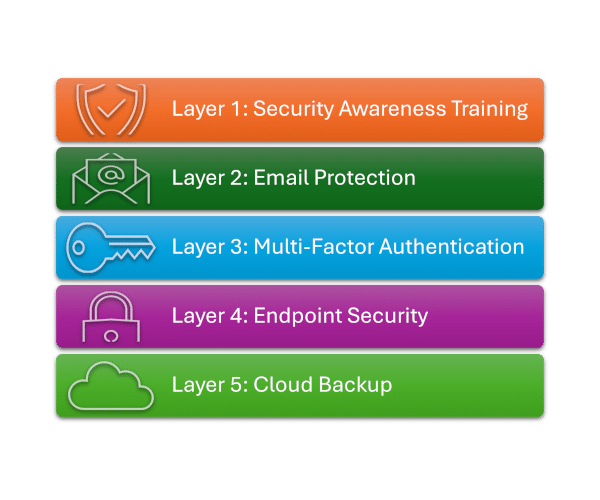
This 5-layer model provides practical, proven protection for small and growing businesses.